Datacolor AG Europe
Price (excl. VAT):
€145.00

Add to Cart


The smarter color reference and gray card


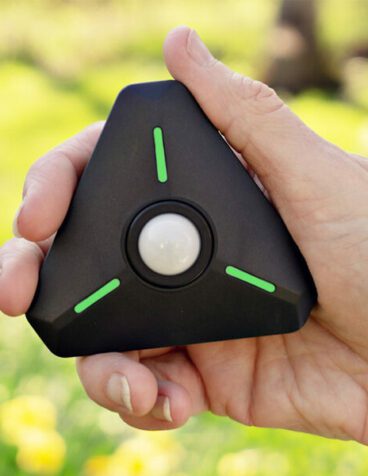
Start your color control at the capture stage with the new SpyderCheckr Pro™ tools. It allows photographers to color calibrate their cameras, perform precision in-camera white balance and record known-color samples. The sturdy, eco-friendly design has 48 spectrally engineered color patches and easy to use calibration software. SpyderCube™ is included for capturing color temperature and light source data on-site for accurate RAW adjustments and more consistent color. This pocket sized RAW Calibration tool surpasses white balance and gray card solutions. SpyderCheckr Pro helps capture consistent color from day to day and camera to camera and apply these results easily in your RAW workflow making post production quicker by getting consistent, predictable color right from the start.


Features

  • Consistent Color Control for your RAW workflow made easy and fast with SpyderCheckr and its powerful software, giving you a color standard for any camera and decreasing your post production time
     
  • Neutral Gray target & Gray ramp for in-camera white balance and visual neutrality analysis
     
  • Extensive skintone samples for portrait & fashion photography
     
  • Durable, eco-friendly self casing construction for easy transport and field use, with replaceable targets, fade strip indicator*, tripod and SpyderCube mount
     
  • Spectrally Neutral SpyderCube responds consistently to all lighting conditions in the field or in studio for easy white balancing and exposure corrections
     
  • Instantly correct image neutrality by setting color temperature and tint
     
  • Includes Black Trap and Chrome Ball for shadow detail highlight control in any shooting situation
     
  • Easy-to-use SpyderCheckr software interacts with Adobe Lightroom, Photoshop, Elements, and Camera Raw to produce calibration presets, which fit directly into your digital workflow; No DNG processing required, multiple lightsource calibration option included

*

FadeCheckr is a light sensitive patch which allows you to track the light exposure of your target and warns you when its time to replace the Target Sheets.

Requirements

  • Windows XP, Windows Vista, Windows 7
  • Mac OS X (10.4 +)
  • 128MB of available RAM
  • 100MB of available hard disk space
  • Adobe Lightroom, Adobe Photoshop or Photoshop Elements with Adobe Camera Raw

What You Get

  • SpyderCheckr™
  • SpyderCheckr Software CD
  • SpyderCube™
  • Protective Pouch for SpyderCube
  • Lanyard for SpyderCube
  • Quick Start Guide


Supported Languages: English, Spanish, French, German, Italian, Russian, Traditional Chinese, Simplified Chinese, Korean, Japanese

Video
What other say:

"Since two of my tests were done with my artwork copy setup I was able to compare the before and after calibrations with the original art. There was no question that the changes made by the SpyderCheckr calibration process brought the on-screen image closer to the original than the uncalibrated capture."

Stan Sholik
www.rangefindermag.com


"Monitor calibration and profiling, along with printer profiling, have become an essential part of my workflow, assuring that the rendered image I see is correctly displayed and printed. With SpyderCheckr I am now able to create accurate calibrations for my own camera bodies, which assures that Lightroom or Photoshop will read my RAW files and interpret the color data with the truest color rendition.

What I love about SpyderCheckr is how the workflow integrates seamlessly into Lightroom. There is nothing new to learn! Plus, calibrations can be generated in less than five minutes following simple instructions and the intuitive user interface. I’m impressed by SpyderCheckr’s 48-patch color chart, which includes eight patches just for skin tones, as much of my work is shooting portraits. In addition, SpyderCheckr allows me to easily modify the camera calibration to suit my particular preferences, though that has not yet been necessary. Given how easy SpyderCheckr is to use and how terrific the results are, there is hardly a reason not to use it!"

John Blaustein Photography
www.johnblaustein.com